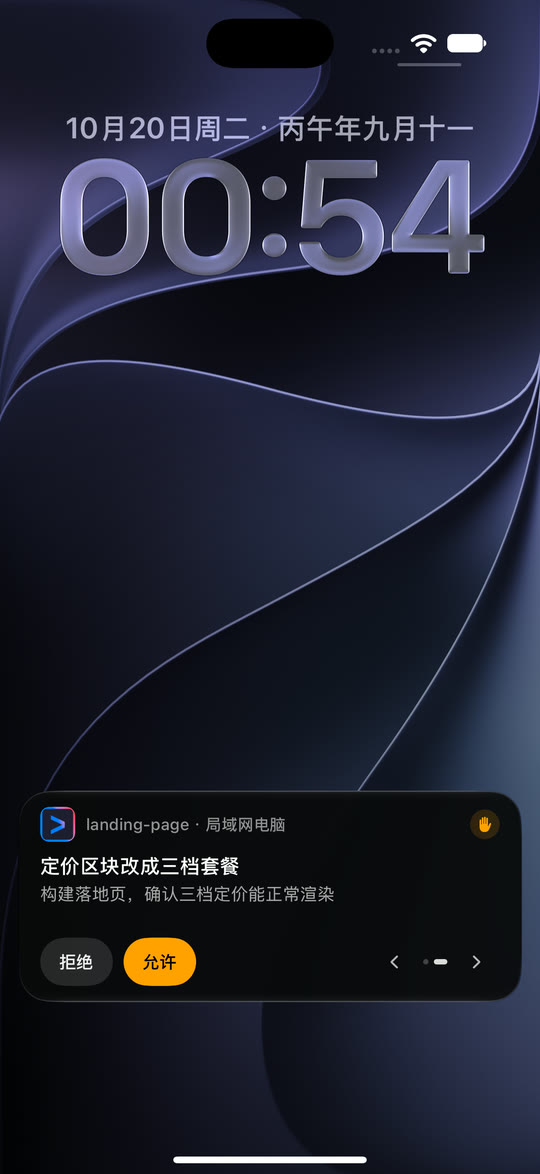
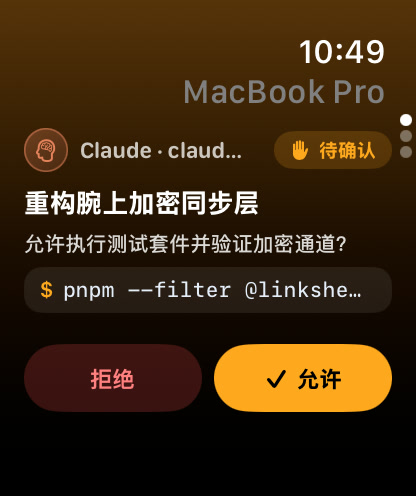
Do I have to unlock my iPhone to approve a Claude Code or Codex tool call?
No. On iOS 17 or later, LinkShell's Live Activity on the iPhone Lock Screen renders interactive Deny and Allow buttons powered by LiveActivityIntent. One tap answers the host daemon immediately while your phone stays locked.
Does LinkShell on Apple Watch work when my iPhone is out of Bluetooth range?
Yes. When your Apple Watch (watchOS 10+) is near your iPhone, it relays over WatchConnectivity. When your iPhone stays on your desk and your Watch is on Wi-Fi or LTE, the Watch polls /v2/poll directly over HTTPS and decrypts payloads locally using X25519 + XChaCha20-Poly1305 — the gateway still never sees plaintext.
Why not just run claude --dangerously-skip-permissions instead?
Skipping all permission checks gives an agent unrestricted shell, git push, rm, and credential access the moment a prompt misunderstands a path or hits untrusted repo content. LinkShell lets safe read/edit steps run fast while surfacing destructive bash, network, or deploy actions on your wrist in under a second.
Can I send a follow-up instruction from my Apple Watch?
Yes. Beyond Allow, Allow for Session, and Deny (all sized to 44pt+ tap targets), the Watch app lets you dictate or scribble a short steering reply straight into the active session.
Which agents trigger Lock-Screen and Apple Watch approvals?
Claude Code, OpenAI Codex, Gemini CLI, Cursor CLI, GitHub Copilot CLI, OpenCode, Qwen Code, Kimi CLI, Goose, and ACP-compatible agents running under LinkShell Host on macOS, Windows, WSL2, or Linux.
 LinkShell